Full Game Lobby
Every pokie, live dealer table, and game show available on desktop loads identically in your mobile browser, including titles from NetEnt, Pragmatic Play, and Evolution Gaming.
App at Rooster Bet in Australia: 4,000+ Games on Mobile
The full Rooster Bet experience in your browser: 4,000+ pokies, live Evolution Gaming tables, AFL and NRL betting, and Visa or crypto deposits. No app store needed.
How to Get Started on Mobile
Rooster Bet Goes Wherever Your Phone Does
The full Rooster Bet experience in your browser: 4,000+ pokies, live Evolution Gaming tables, AFL and NRL betting, and Visa or crypto deposits. No app store needed.
Play on Your Phone 18+ only. Gambling can lead to addiction, and every bonus comes with its own terms.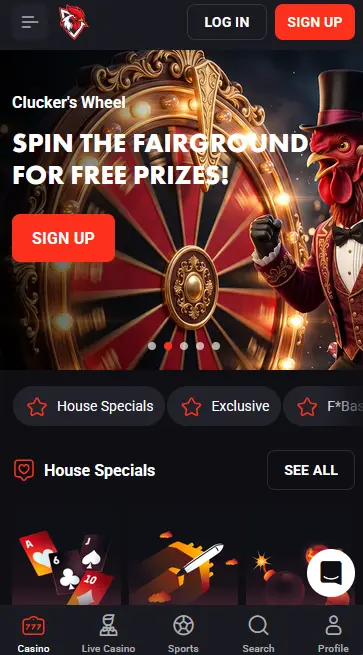
Stay Safe on Mobile
What You Should Do
What You Should Avoid
What You Get on Mobile
Full Game Lobby
Every pokie, live dealer table, and game show available on desktop loads identically in your mobile browser, including titles from NetEnt, Pragmatic Play, and Evolution Gaming.
Quick Bet for Sports
The Quick Bet toggle in the sportsbook simplifies the bet slip to a single tap, so you can place AFL or NRL in-play wagers without navigating away from the live odds screen.
Secure Mobile Sessions
SSL encryption covers every session, and two-factor authentication is available to protect your balance from unauthorised access on any device.
Rooster Bet Mobile: Pros and Cons
Pros
Cons
Device Compatibility
Android
iOS
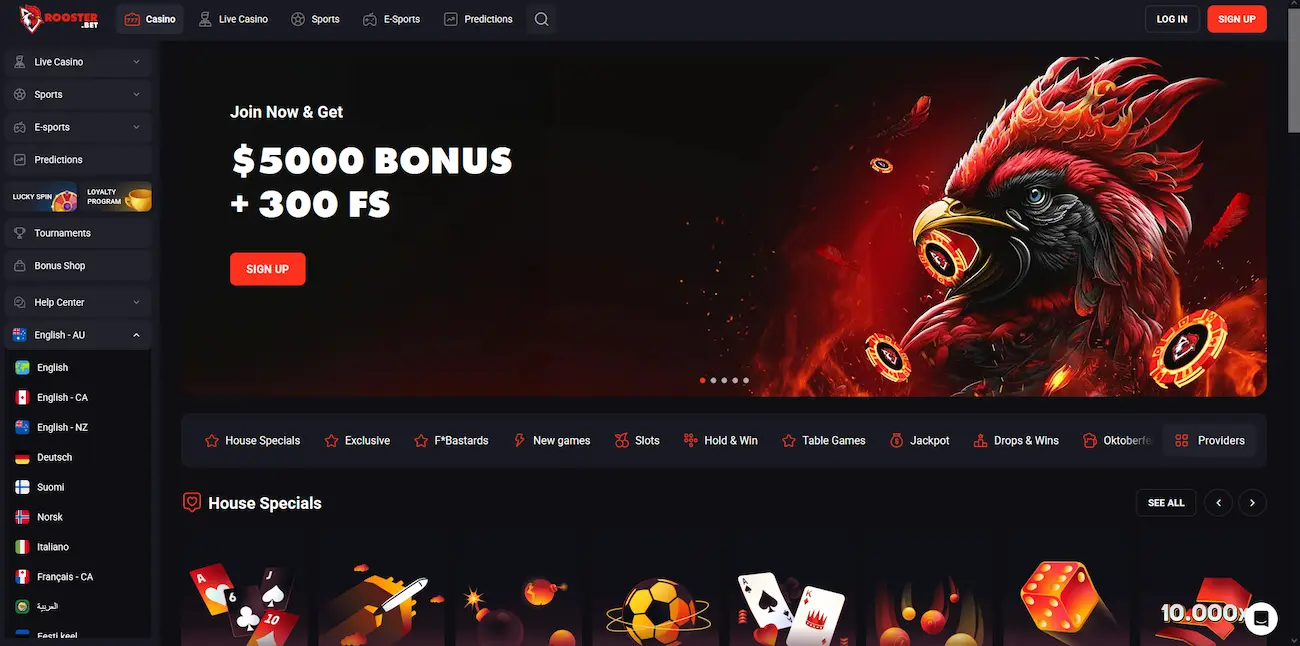
The Rooster Bet mobile experience delivers the complete casino and sportsbook platform through a browser-based interface rather than a downloadable application. Every feature available on the desktop site is accessible on mobile: the full pokies catalogue, the live dealer section powered by Evolution Gaming and Pragmatic Play Live, the sportsbook covering 75+ sports, the cashier, and all active promotions.
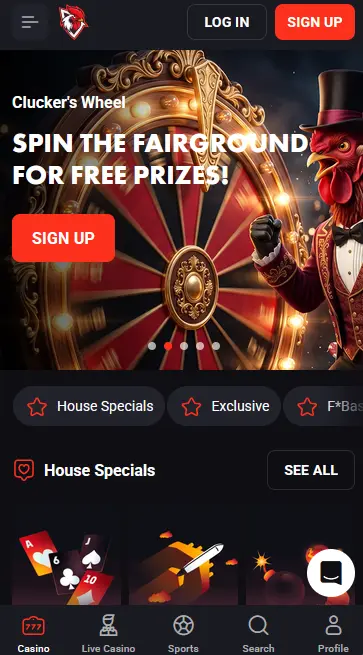
The mobile layout reorganises the desktop navigation into a collapsible hamburger menu, keeping the game grid and sportsbook odds front and centre. Loading times are reduced on mobile through a leaner data footprint compared to the desktop version, which is useful for players on mobile data rather than a home Wi-Fi connection. The Quick Bet option in the sportsbook collapses the bet slip to a minimal interface, allowing in-play wagers on AFL, NRL, or live cricket to be submitted in a single tap without scrolling through a full stake-selection screen.
Functionally, the mobile and desktop experiences are equivalent. The primary difference is cosmetic: the grid of game tiles condenses to fewer columns on smaller screens, and secondary navigation menus sit behind the hamburger icon rather than appearing in a persistent horizontal bar. There are no mobile-exclusive games, no mobile-only promotions, and no features locked to desktop only.
Rooster Bet’s mobile site runs on HTML5 and is compatible with any modern smartphone or tablet browser. No plugin, Flash, or additional software is required.
Android devices running version 8.0 or later with Chrome 90 or above will render games, live dealer streams, and the cashier without issue. WebGL support, which Android 8.0+ provides by default, ensures that high-quality pokie animations and live video streams display correctly. You do not need to enable any special settings; navigating to roosterbetaussie.com in Chrome is sufficient.
iPhones and iPads running iOS 13.0 or later with Safari 14 or above are fully supported. Safari is the recommended browser on Apple devices because it integrates with Face ID and fingerprint autofill for faster login. Chrome and Firefox for iOS also work, but biometric autofill requires using the native Safari browser or enabling cross-browser password management through your device settings.
| Spec | Android | iOS |
|---|---|---|
| OS version | 8.0 or later | 13.0 or later |
| Recommended browser | Chrome 90+ | Safari 14+ |
| Installation | None required | None required |
| Home screen shortcut | Via Chrome menu | Via Safari Share |
| Biometric login | Fingerprint / face unlock via browser autofill | Face ID / Touch ID via Safari |
Because Rooster Bet operates as a browser-based platform rather than a native application, there is no installation file to download. The steps below cover how to access the platform on Android, iOS, and how to set up a home screen shortcut that mimics an app experience.
Open Chrome on your Android device and navigate to roosterbetaussie.com. Log in with your existing credentials or register if you are new. To create a shortcut, tap the three-dot menu in the top-right corner of Chrome and select Add to Home Screen, then confirm the label and tap Add. The shortcut icon will appear on your home screen and launch the Rooster Bet mobile site directly in Chrome.
Open Safari on your iPhone or iPad and go to roosterbetaussie.com. Tap the Share icon (the square with an arrow pointing upward) at the bottom of the screen, then tap Add to Home Screen and confirm. The icon appears on your home screen and launches the site in Safari fullscreen mode, hiding the browser address bar for a cleaner experience that closely resembles a native app.
For players who prefer not to use the add-to-home-screen method, bookmarking roosterbetaussie.com in your mobile browser achieves the same result: a fast-access link to the login screen. There is no progressive web app manifest currently published for the platform, so the shortcut method above is the closest available equivalent to a dedicated app icon.
The full game catalogue is accessible through the mobile browser with no titles removed or restricted for mobile play.
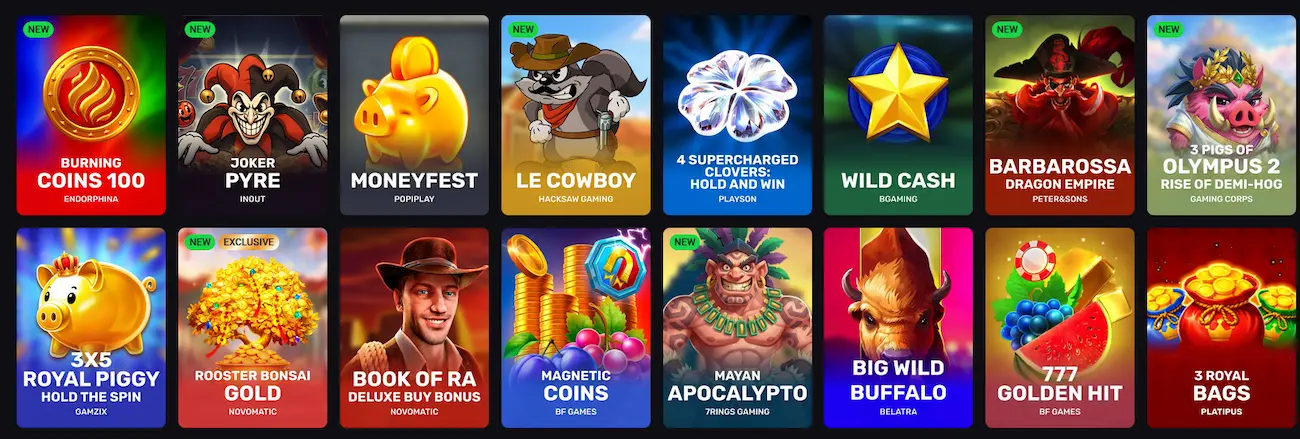
Over 4,000 pokies load on mobile, including Starburst (NetEnt, RTP 96.09%), Sweet Bonanza (Pragmatic Play, RTP 96.48%), Gonzo’s Quest (NetEnt, RTP 96.0%), and Elvis Frog in Vegas (BGaming, RTP 96.0%). Megaways mechanics, bonus-buy options (where available and eligible under bonus terms), and autoplay settings all function in the mobile browser. Demo mode is available on selected titles, so you can explore a pokie’s bonus round and volatility profile before wagering real money.
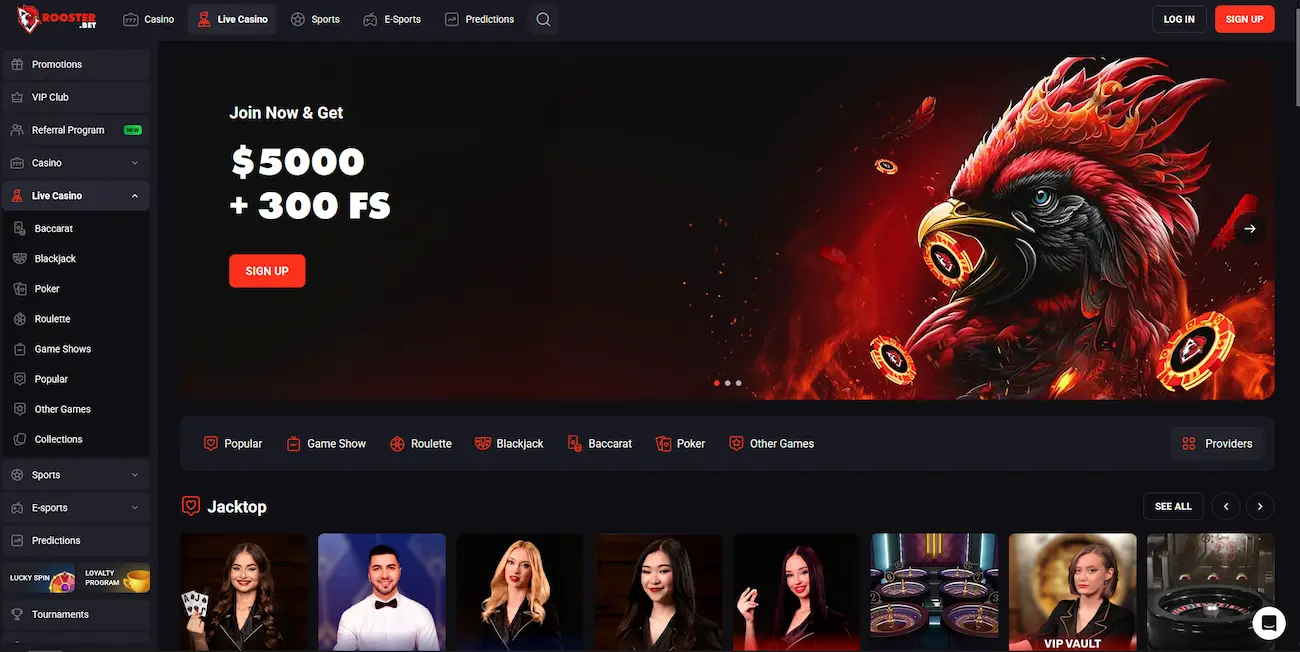
Live dealer streams from Evolution Gaming and Pragmatic Play Live play at full quality on a 4G or Wi-Fi connection. Live Blackjack, Live Roulette, Speed Roulette, and Live Baccarat are all playable through the mobile browser, with the live chat function available so you can communicate with the dealer during the session. A stable internet connection is recommended for uninterrupted video; a minimum of 4G or a strong Wi-Fi signal prevents buffering during live hands.
RNG-based blackjack, roulette, and baccarat variants all render correctly on mobile. Progressive jackpot pokies from Microgaming, including Thunderstruck II (RTP 96.65%) and Immortal Romance (RTP 96.86%), are also available, with the jackpot meter displayed in real time within the game interface.
The mobile cashier mirrors the desktop cashier in full, with all supported payment methods available.
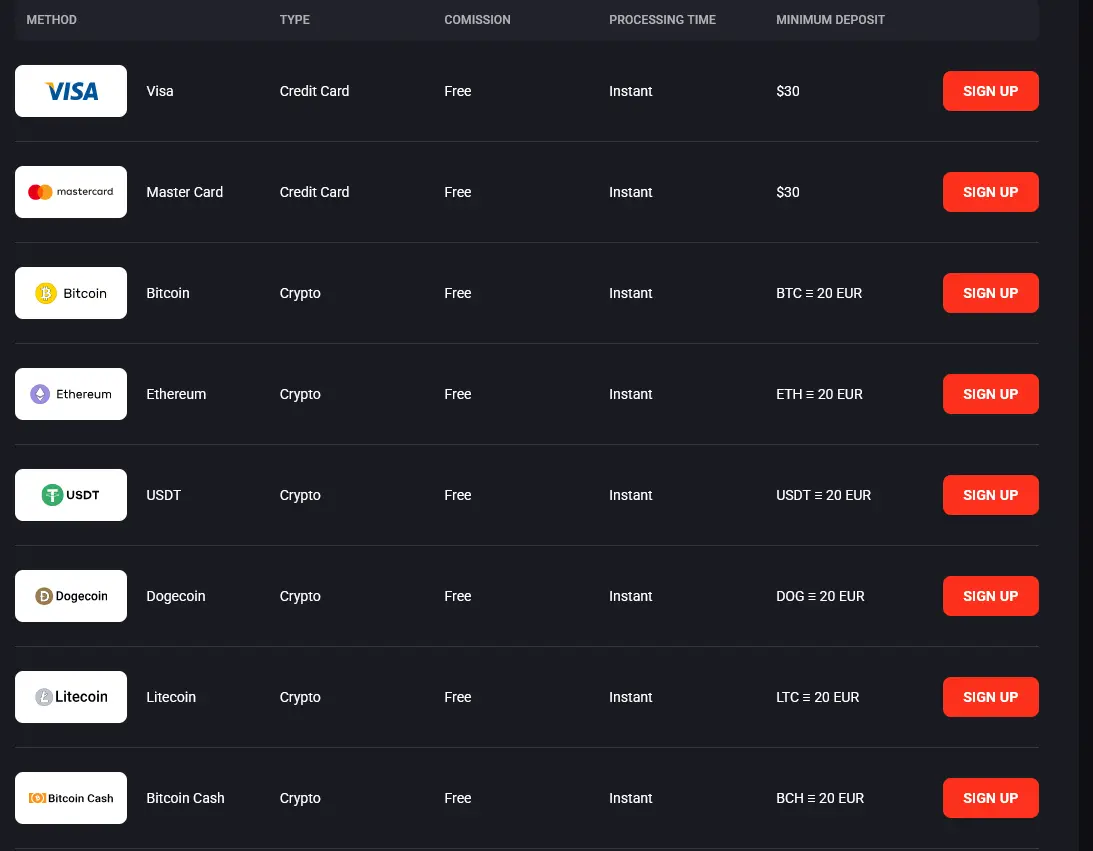
| Method | Min. Deposit | Processing |
|---|---|---|
| Visa | $30 | Instant |
| Mastercard | $30 | Instant |
| Bitcoin | BTC equal to 20 EUR | Instant |
| Ethereum | ETH equal to 20 EUR | Instant |
| USDT | USDT equal to 20 EUR | Instant |
| Dogecoin / Litecoin / Bitcoin Cash | Equal to 20 EUR | Instant |
Every method is free of commission. Crypto deposits on a phone work well with a wallet app: copy the deposit address from the cashier, send the coins, and the balance updates once the network confirms the transfer.
Cryptocurrency withdrawals are the fastest option, typically clearing within 24 hours after the casino processes the request. Visa and Mastercard withdrawals may take up to 72 hours. All withdrawals require completed KYC verification before processing begins.
All cashier transactions on mobile are protected by the same SSL encryption layer used on the desktop platform. Your card or wallet details are not stored in plain text. For cryptocurrency transactions, standard blockchain confirmation times apply on top of the casino processing window.
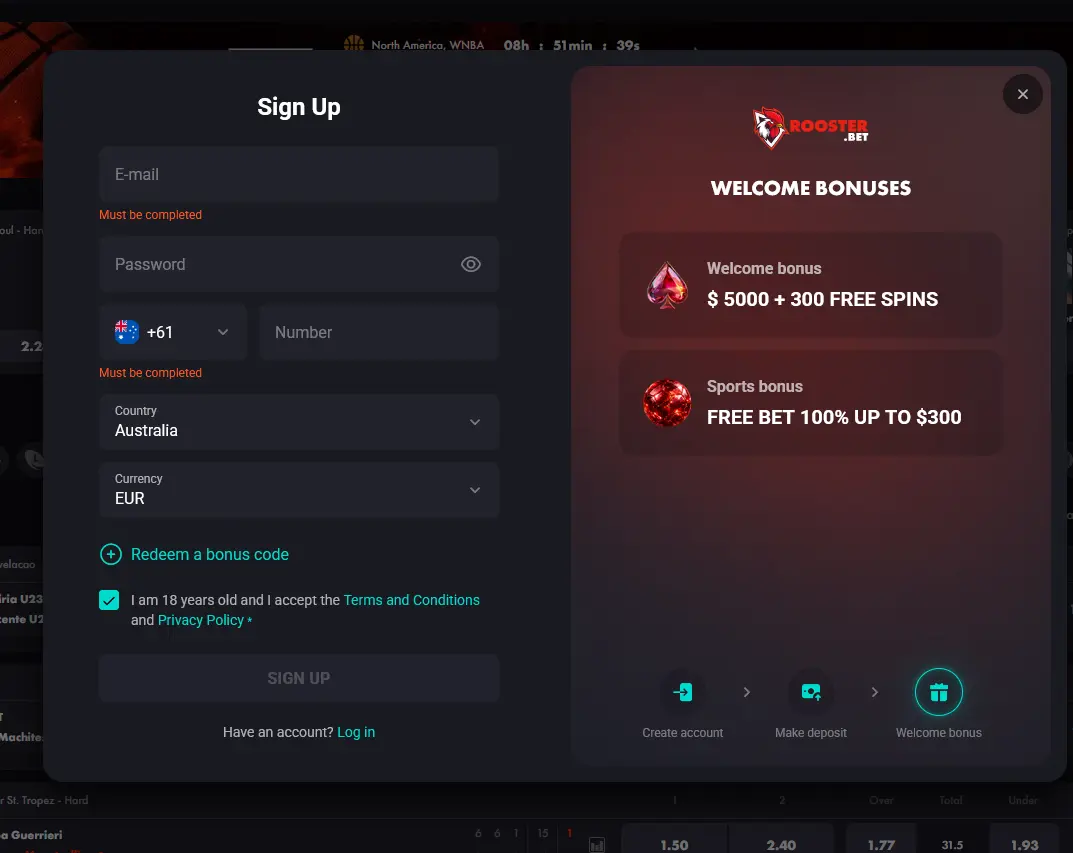
Registration on mobile follows the same form as the desktop process. Navigate to roosterbetaussie.com, tap Sign Up, and fill in your email address, password, phone number, country and currency, then tick the 18+ and terms box. Once submitted, your account is active immediately for deposits and gaming. Before your first withdrawal, KYC verification is required: upload a clear photo of your Australian driver’s licence or passport, and a recent utility bill or bank statement (issued within the last three months) as proof of address. Phone number verification is also completed at this stage.
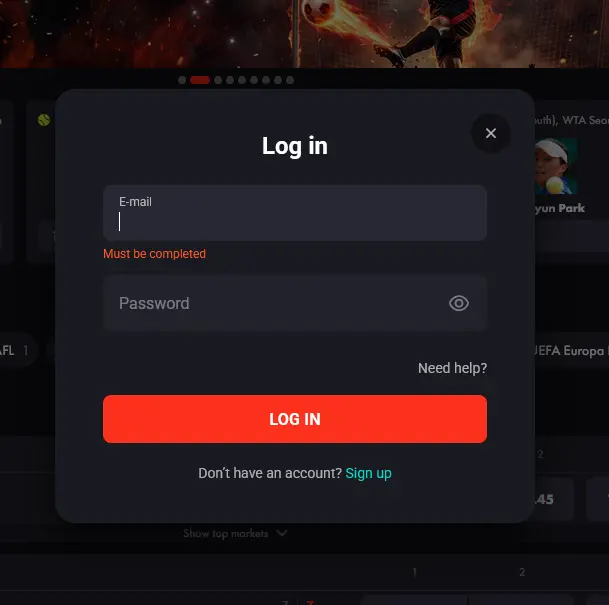
Tap Log In on the mobile homepage and enter your registered email and password. If two-factor authentication is enabled, enter the code sent to your mobile number. Using your browser’s biometric autofill means you can open the site, confirm your identity with Face ID or fingerprint, and be inside your account within a few seconds on subsequent visits.
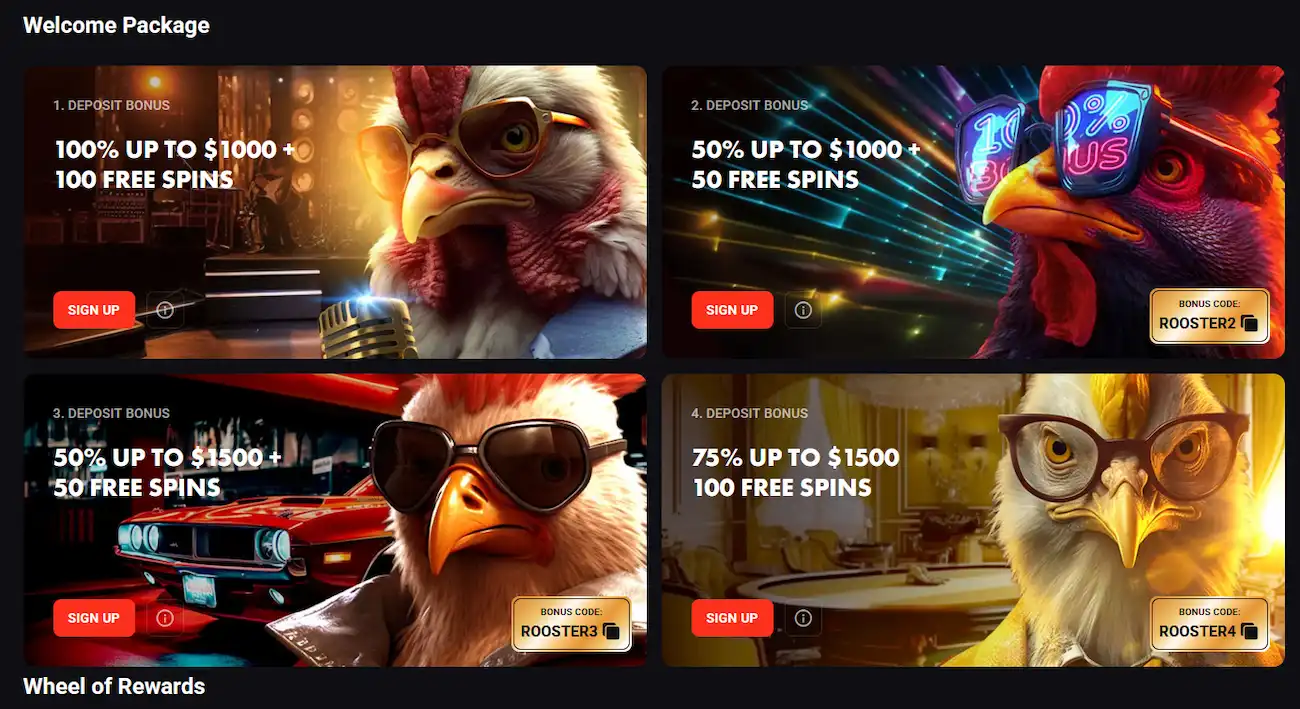
Every promotion available on the Rooster Bet desktop platform is also accessible through the mobile browser, with no exclusions or reduced terms for mobile users.
The four-stage welcome package worth up to $5,000 plus 300 free spins can be claimed entirely through the mobile browser. Deposit via Visa, Mastercard, or cryptocurrency from the mobile cashier, and use the stage codes ROOSTER2, ROOSTER3 and ROOSTER4 for deposits two to four. The 40x wagering requirement and three-day validity window apply identically regardless of whether you play on desktop or mobile. 18+ only.
For the full terms on each bonus stage, see the complete bonus guide.
Rooster Bet applies SSL encryption to every page and transaction, covering both the casino and sportsbook sections of the mobile site. The login session is tied to your device and browser; if you switch to a different browser or clear cookies, you will be asked to log in again.
All data transmitted between your browser and roosterbetaussie.com travels over HTTPS with SSL. This applies equally to game requests, live dealer video metadata, and cashier submissions, so your balance and payment details are protected during every interaction.
Enable two-factor authentication from the Security section of your account profile. Once active, every new login from an unrecognised device or browser requires a one-time code sent to your registered mobile number. This prevents account access even if your email and password are compromised.
iOS devices using Safari and Android devices using Chrome support browser-level biometric autofill. When your credentials are saved to your device’s secure keychain, Face ID, Touch ID, or your device’s fingerprint scanner can authorise the autofill and log you in without typing your password manually.
Live chat is the fastest support channel and is accessible from the mobile site via the chat widget that appears on all pages. For issues that require documentation, the email contact form at [email protected] accepts attachments such as screenshots or KYC document files. Both channels are available 24 hours a day, seven days a week, with agents covering Australian time zones.
Deposit limits, session timers, and self-exclusion controls are all available through your account settings on mobile. If you need to set a cooling-off period or request a permanent self-exclusion, navigate to the Responsible Gaming section of your account profile. Australian players can also contact the Gambling Help Online service or call the national helpline for support independent of the platform.
Mobile Questions Answered
No. Rooster Bet does not publish a native app on Google Play or the App Store. The platform is accessed entirely through your mobile browser, which gives you the same games, bonuses, and cashier as the desktop site.
Yes. Games from Pragmatic Play, NetEnt, BGaming, and Evolution Gaming are built on HTML5, which runs natively in modern mobile browsers on both Android and iOS without plugins.
Yes. All promotions, including the four-stage welcome package worth up to $5,000 and 300 free spins, are fully accessible through the mobile browser. See the [complete bonus terms](/bonus/) for wagering details.
Because Rooster Bet runs as a browser-based site rather than a native app, updates are applied server-side automatically. Clear your browser's cache and reload roosterbetaussie.com to ensure you are viewing the latest version.
Play Rooster Bet on Your Phone
Take up to $5,000 and 300 free spins across your first four deposits.
Join the Flock 18+ only. Gambling can lead to addiction, and every bonus comes with its own terms.